

📸 Image sizing guide
✅ Always check the recommended upload sizes for each type of image (e.g. articles, background, avatar, etc.)
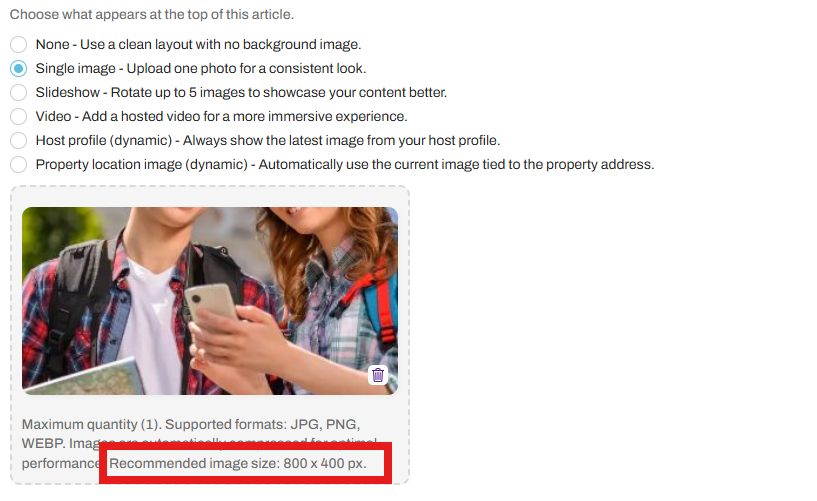
For example, we recommend 800 × 400 px for article header images and 1200 × 800 for the guidebook’s home background.
🧱 Layout Details for Headers in Articles
📱 On Mobile:
Max Width: ~350–370 px depending on device (due to ~20px padding on each side of the 390px screen)
Fixed Height: 200 px
Image is center-cropped within a padded article container
Does not span edge-to-edge
💻 On Desktop:
Max Width: 900 px (inside article wrapper)
Fixed Height: 300 px
Horizontal Padding: ~20 px
Image stays centered and responsive
🔁 Images are center-cropped and scaled. Always place important visual content (like faces or text) in the middle area to avoid edge cuts.
🛠 Tips for Best Results
Upload at recommended sizes for sharp quality and flexibility
Use landscape orientation
Keep important subjects centered
Avoid placing text or faces near the edges—they might get cropped
🔍 Bonus: Fullscreen View
Guests can tap the expand icon in the corner of cover images to view them uncropped and fullscreen.